Rune

Creative coding in Odin — native speed, Processing-simple.

A self-contained studio for generative art: a built-in code editor, a Processing-style canvas library, and one-key compile-and-run. For the heavy stuff Processing and p5 can't keep up with.

Unsigned builds. Release notes · View source
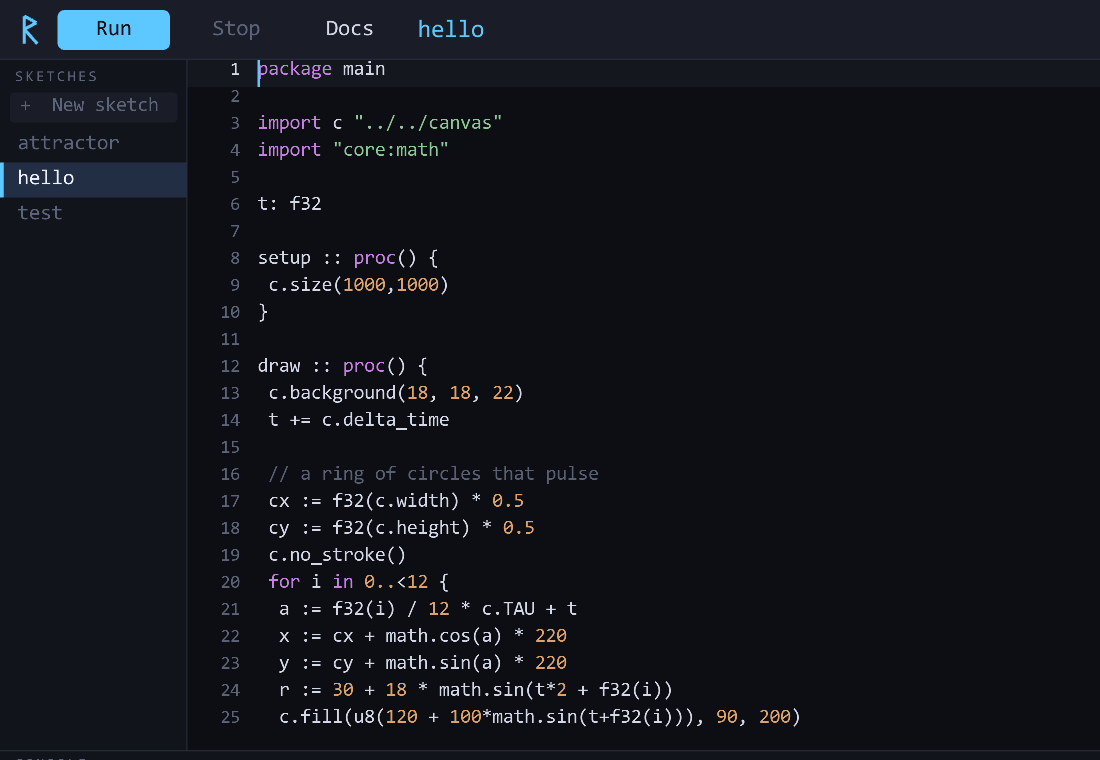
The Rune editor
Why it exists

The gap in the middle

Processing and p5.js are wonderful for starting, but Java and JavaScript hit a wall — millions of particles, strange attractors, real-time simulation. The native options solve performance but ask a lot: openFrameworks and Cinder drag in decades of C++; Nannou is fast but steep. Rune sits in between. Odin gives you C's directness with none of C++'s baggage or Rust's ceremony — and Rune wraps it in a studio so you don't assemble a toolchain.

Processing / p5openFrameworks / CinderNannouRune
Native performance
Simple languageC++~Odin
Built-in editor + run
Batteries included~~
What's inside

A studio, not a toolchain

Built-in editor

Syntax highlighting, c. autocomplete for the whole API, selection, copy/paste, undo/redo, adjustable font.

One-key run

Ctrl+R compiles your sketch and launches it in its own window. Compile errors show inline.

The canvas library

Shapes, HSL/HSV color, seedable random, Perlin noise, Vec2 helpers, easing, and a persistent accumulation buffer.

?

In-app reference

Press F1 for searchable API docs with examples, an Odin cheatsheet, and a shortcuts list — jump to any symbol.

Print-ready

Paper-size presets (size_paper(.A4, 300)) and full-resolution PNG export with Ctrl+S.

Native speed

Compiled Odin + raylib. Push millions of points where JS/Java fall over — the whole point.

A sketch

Write setup and draw. Hit Run.

package main
import c "../../canvas"
import "core:math"

t: f32

setup :: proc() {
	c.size(900, 900)
	c.background(6, 6, 10)
}

// a de Jong strange attractor
x, y: f32 = 0.1, 0.1
draw :: proc() {
	c.stroke(150, 190, 255, 8)
	for i in 0..<120_000 {
		nx := math.sin(1.4*y) - math.cos(-2.3*x)
		ny := math.sin(2.4*x) - math.cos(-2.1*y)
		x, y = nx, ny
		c.point(450+x*200, 450+y*200)
	}
}
A de Jong strange attractor rendered in Rune
Get started

Two minutes to your first sketch

Rune compiles your sketches with the Odin compiler (which bundles raylib), so you'll need Odin on your PATH.

Download a build

Grab your platform, unpack it, and run the rune binary — keep it next to the bundled canvas/ and sketches/. On macOS, clear the quarantine flag once: xattr -dr com.apple.quarantine rune.

Windows macOS Linux

Build from source (any OS)

# Windows
build.bat

# Linux / macOS
./build.sh

Then click a sketch, edit it, and press Ctrl+R.